
For years, Adobe Creative Cloud has been the industry standard to handle this chaos. But if you haven’t taken a deep dive into the ecosystem lately, you might be missing out. In 2025, Adobe Creative Cloud isn’t just a folder of apps on your desktop. It has evolved into a fully integrated creative operating system.
It is no longer just about making things; it’s about how we manage, share, review, and scale creative work in a hybrid, AI-driven world.
Whether you are debating an upgrade to Adobe Creative Cloud for Teams or just want to squeeze more value out of your current subscription, this guide breaks down the top features that are defining the creative landscape in 2025.
The Power of the Ecosystem: 20+ Integrated Apps
More Than Just Photoshop and Illustrator
The primary reason creative professionals stick with Adobe isn’t just the quality of individual apps—it’s the “superpower” of having them all talk to each other.
When you subscribe to the Creative Cloud All Apps plan, you aren’t just buying software; you are buying a workflow. In 2025, the integration between these apps is smoother than ever, eliminating the need to export, convert, and re-import files constantly.
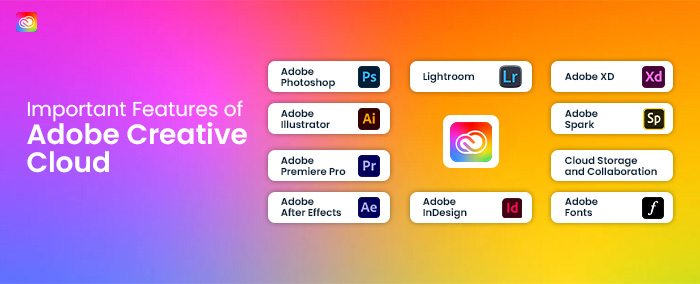
- Adobe Photoshop: Still the king of raster imaging, photo manipulation, and digital art.
- Adobe Illustrator: The global standard for vector graphics, logo design, and illustration.
- Adobe InDesign: The publisher’s powerhouse for layout, brochures, magazines, and digital books.
- Adobe Premiere Pro & After Effects: The dynamic duo for video editing and motion graphics.
- Adobe XD / Figma Integration: For UI/UX designers building the web of tomorrow.
The “Dynamic Link” Advantage: This is a feature that saves video editors hundreds of hours a year. With Dynamic Link, you can take a composition from After Effects and drop it directly into your Premiere Pro timeline. If you make a change to the animation in After Effects, it updates instantly in Premiere. No rendering. No intermediate files. This seamlessness is what separates a disjointed workflow from a professional production pipeline.
Don’t Forget the “Hidden” Gems: Your subscription also includes tools like Adobe Audition (for audio repair), Media Encoder (for rendering), and Adobe Character Animator. In 2025, access to Adobe Express (Premium) is also included, allowing professional designers to create templates that non-designers on the team can use for quick social media posts.
Adobe Firefly: Generative AI That is Safe for Business
Your New Creative Co-Pilot
By now, everyone has heard of AI. But for professionals, the fear has always been: Is it legal? Is it copyright safe?
This is where Adobe Firefly wins. Unlike other AI models that scrape the open internet, Firefly is trained on Adobe Stock images, openly licensed content, and public domain content. This means the assets you generate are commercially safe to use for your clients.
In 2025, Firefly is woven deeply into the apps you use daily:
Generative Fill in Photoshop: This feature alone has changed retouching forever. Need to expand a vertical photo to fit a horizontal website banner? Just use “Generative Expand,” and AI will invent the rest of the background to match perfectly. Need to remove a person from a crowd or add a tree to a landscape? Circle it, type the prompt, and it’s done. What used to take 3 hours of cloning and stamping now takes 30 seconds.
Text to Vector in Illustrator: Vector artists know that drawing complex icons or patterns takes time. With Firefly, you can type “retro sunburst icon” or “seamless floral pattern,” and Illustrator will generate fully editable vector paths. It’s not a flat image; it’s mathematically scalable geometry.
Generative Recolor: Imagine a client loves your logo design but says, “Can I see it in 20 different color variations?” Instead of manually recoloring every layer, Generative Recolor lets you type “pastel spring colors” or “neon cyberpunk,” and the AI instantly applies those palettes to your artwork.
Creative Cloud Libraries: The “Single Source of Truth”
Solving the Brand Consistency Crisis
If you work in a team, you are familiar with the “Email Attachment Shuffle.”
“Is this the latest logo?”
“No, use the V3_Final.png.”
“Wait, why is the blue slightly different?”
Creative Cloud Libraries eliminate this chaos. It acts as a digital style guide that lives inside every Adobe app.
How it works for Teams: A design lead can create a “Brand Library” containing the official logos, the exact color hex codes, approved font styles, and standard graphic elements. This library is then shared with the whole team.
When a video editor opens Premiere Pro, they see the library in their sidebar. When the social media manager opens Photo-shop, they see the exact same library. If the design lead changes the shade of blue in the library, it updates for everyone instantly.
It ensures that whether you are designing a business card in In-design or a lower-third graphic in After Effects, the branding is 100% consistent.
Seamless Cloud Storage & Sync
Work From Anywhere, On Any Device
The concept of “my files are on the office computer” is obsolete. Adobe Creative Cloud provides substantial cloud storage (usually 100GB to 1TB per user, depending on the plan), which serves as the backbone of a modern hybrid workflow.
Cloud Documents: You can save files as “Cloud Documents” (PSDC, AIC, etc.). This allows you to start a drawing on your iPad using Photo-shop on the iPad while sitting in a cafe, and then open that exact same file on your powerful desktop workstation at the office to finish the heavy lifting. The sync is automatic.
Version History: This is a lifesaver. We have all had that moment where a file corrupts, or we realize the changes we made two hours ago were a mistake. With Creative Cloud storage, you can right-click a file and view its Version History. You can revert to the version from 10:00 AM, 2:00 PM, or even yesterday. It acts as a safety net for your creativity.
Real-Time Video Collaboration with Frame.io
Goodbye, Long Email Threads
For video teams, the integration of Frame.io into Adobe Creative Cloud is perhaps the most valuable feature of the last decade.
Before Frame.io, reviewing a video meant:
Export the video.
Upload to We Transfer or Dropbox.
Client emails back: “At 0:34, cut this scene.”
Editor struggles to find exactly where 0:34 is because of time code differences.
The Frame.io Workflow: Now, you share a review link directly from Premiere Pro. The client watches the video in their browser. When they see something they want to change, they start typing. The video pauses. Their comment is time-stamped to that exact frame.
Back in Premiere Pro, the editor sees the comments appear directly on the timeline as markers. They can click the marker, make the edit, and check it off. It speeds up the review process by 5x, reducing frustration for both the creative and the client.
Massive Asset Market: Fonts and Stock
Save Money on Third-Party Subscriptions
A hidden cost of design is buying assets. A font license here, a stock photo there—it adds up. Adobe includes a massive repository of assets within the subscription.
Adobe Fonts: You get access to over 20,000 high-quality fonts. The best part? They are cleared for personal and commercial use. You don’t need to worry about a client getting sued because you used a font without the correct license. It is all included.
Adobe Stock Integration: While Adobe Stock often requires a separate credit pack or subscription, the integration is free. You can search for stock photos, videos, and 3D assets directly inside the app. You can place a watermarked “preview” version in your design to show the client. If they approve it, you can license it with one click, and the high-resolution version automatically replaces the low-res preview.
The Admin Console (For Business Plans)
IT and Management Made Simple
If you are a freelancer, this section might not apply. But for agency owners and IT managers, the Admin Console is the reason to buy “Creative Cloud for Teams” rather than individual licenses.
Managing software for 10, 50, or 100 people can be a nightmare. The Admin Console centralizes everything.
Easy Provisioning: Hire a new designer? Assign them a license in seconds via email.
Reclaiming Assets: This is crucial. If an employee leaves the company, their Creative Cloud storage (and the files inside it) usually leaves with them on an individual plan. On a Teams plan, the admin can reclaim those assets and transfer them to another user before deleting the account. Your IP stays safe.
Billing: You get one consolidated invoice for all seats, simplifying accounting.
Adobe Express: Bridging the Gap
For the Non-Designers on the Team
In 2025, marketing moves fast. Sometimes, you need a social post now, and the senior designer is busy with a major campaign.
Adobe Express allows the “non-creatives” (social media managers, marketing assistants) to create on-brand content. The design team can build templates in Photo-shop or Illustrator and load them into Express. The marketing team can then swap out text and images within those safe “brand guardrails” to generate content quickly without breaking the brand guidelines.
It bridges the gap between high-end professional design and rapid social content creation.
Final Verdict: Is Adobe Creative Cloud Essential in 2025?
There are competitors in the market. There are free tools, browser-based editors, and standalone apps. However, none of them offer the comprehensive ecosystem that Adobe does.
If you are a hobbyist, individual tools might suffice. But if you are a professional or a team looking to scale, Adobe Creative Cloud is an investment in efficiency.
The Value Proposition Summary:
Speed: AI tools like Firefly and features like Dynamic Link reduce production time.
Collaboration: Libraries and Frame.io keep teams aligned and clients happy.
Security: Commercial safety for AI and asset protection via the Admin console.
Flexibility: Work across desktop, iPad, and web seamlessly.
In 2025, Adobe Creative Cloud isn’t just a set of tools you learn; it’s a workspace you live in. And with the rapid integration of AI, that workspace just got a whole lot bigger.